> For the complete documentation index, see [llms.txt](https://docs.barte.com/llms.txt). Markdown versions of documentation pages are available by appending `.md` to page URLs; this page is available as [Markdown](https://docs.barte.com/guias/passo-a-passo-do-vendedor/1o-preparacao/configurando-webhooks.md).
# Configurando Webhooks
Acessando o Dashboard do AppBarte, no menu lateral esquerdo, clique em "Configurações" e o submenu em "Integração"
#### O que são Webhooks?
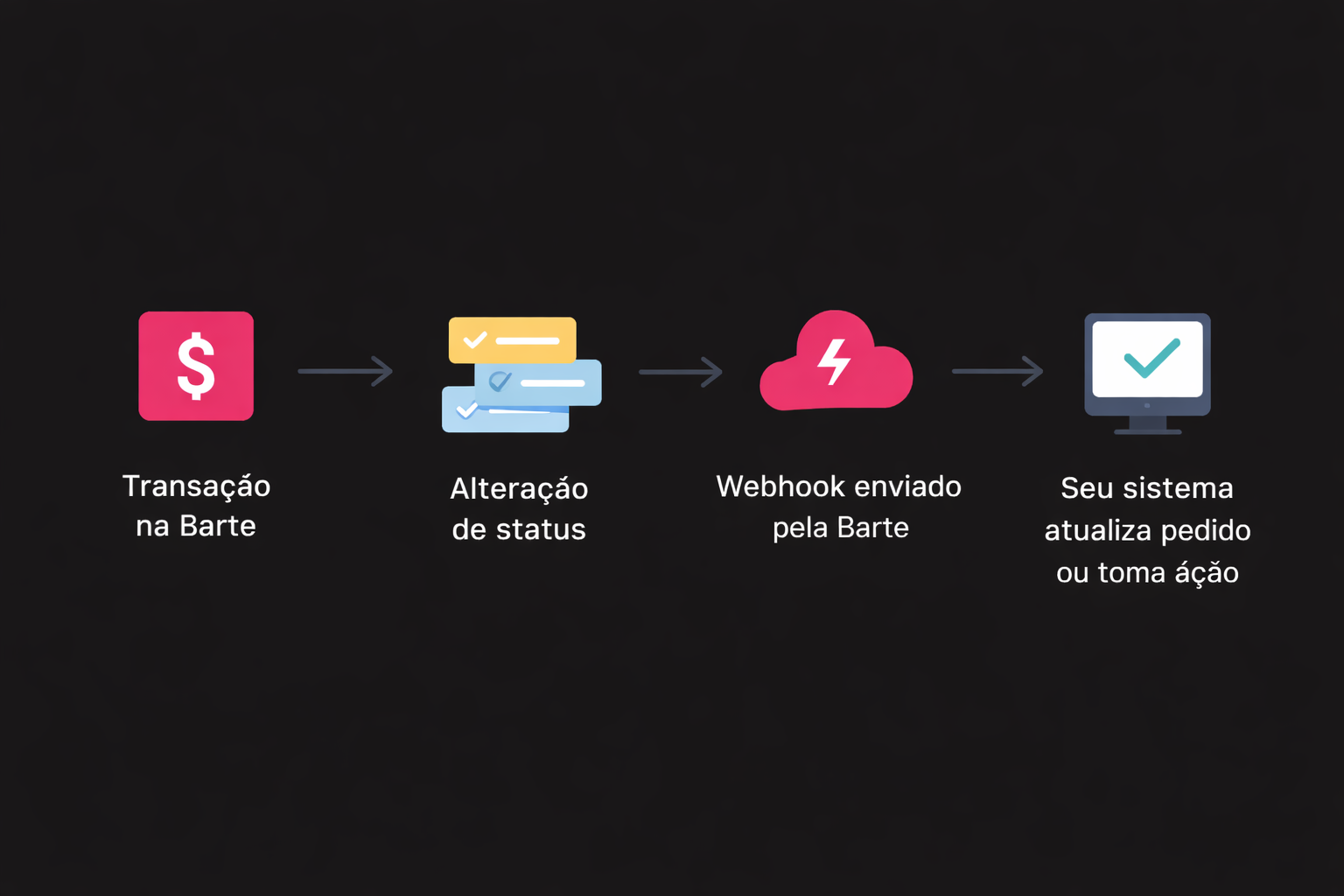
Webhooks são **notificações automáticas** enviadas pela Barte para o seu sistema sempre que ocorre **uma alteração de status em uma transação ou evento importante**.
Em vez de consultar a API repetidamente para saber se algo mudou, a Barte envia uma requisição HTTP para a URL configurada, informando o evento ocorrido e seus dados.
***
#### Quando a Barte dispara webhooks?
Atualmente, a Barte dispara webhooks para os seguintes tipos de eventos:
* **Pedidos (Orders) e Assinaturas (Subscriptions)**\
Ex: pagamento confirmado, pendente, cancelado ou expirado.
* **Pedidos Físicos (Maquininhas)**\
Ex: atualização do status da transação realizada na maquininha.
* **Disputas e Chargebacks**\
Ex: abertura, atualização ou encerramento de uma disputa.
Os webhooks são enviados **sempre que uma transação sofre alteração de status**, permitindo que seu sistema reaja automaticamente a cada mudança.
***
#### Por que usar webhooks?
* Atualizar pedidos automaticamente no seu sistema
* Confirmar pagamentos de PIX e boleto
* Liberar produtos ou serviços após pagamento
* Tratar cancelamentos, estornos, disputas e chargebacks
#### Fluxo Visual
#### Como cadastrar um Webhook
* Na tela apresentada, clique no botão "Novo Webhook" no canto superior direito. O modal de criação exibirá os campos necessários:
* **URL:** endereço de destino para receber as notificações.
* **Versão:** selecione **v1** (legado) ou **v2** (novo padrão).
* Após preencher os campos, clique em "Salvar".
* Para editar um webhook existente, clique no ícone de edição — a versão salva será exibida e poderá ser alterada.
* Abaixo do cadastro do webhook estarão disponíveis as opções de ativar ou desativar o webhook ou excluí-lo pelo ícone de lixo.
{% embed url="" %}
Lembrando que:\
Caso o passo a passo apresente erro ou não consiga efetuar a ação, entre em contato com o time de Suporte Barte.
{% endembed %}
---
# Agent Instructions
This documentation is published with GitBook. GitBook is the documentation platform designed so that both humans and AI agents can read, navigate, and reason over technical content effectively. Learn more at gitbook.com.
## Querying This Documentation
If you need additional information that is not directly available in this page, you can query the documentation dynamically by asking a question.
Perform an HTTP GET request on the current page URL with the `ask` query parameter, and the optional `goal` query parameter:
```
GET https://docs.barte.com/guias/passo-a-passo-do-vendedor/1o-preparacao/configurando-webhooks.md?ask=&goal=
```
`ask` is the immediate question: it should be specific, self-contained, and written in natural language.
`goal` is optional and describes the broader end goal you are ultimately trying to accomplish on behalf of the user. GitBook uses it to tailor the answer towards what is most useful for that goal.
The response will contain a direct answer to the question and relevant excerpts and sources from the documentation.
Use this mechanism when the answer is not explicitly present in the current page, you need clarification or additional context, or you want to retrieve related documentation sections.